 A VETERAN OWNED SMALL BUSINESS |
A Small Business IT Readiness Checklist for Safer, Smoother Operations in Salt Lake City, Utah
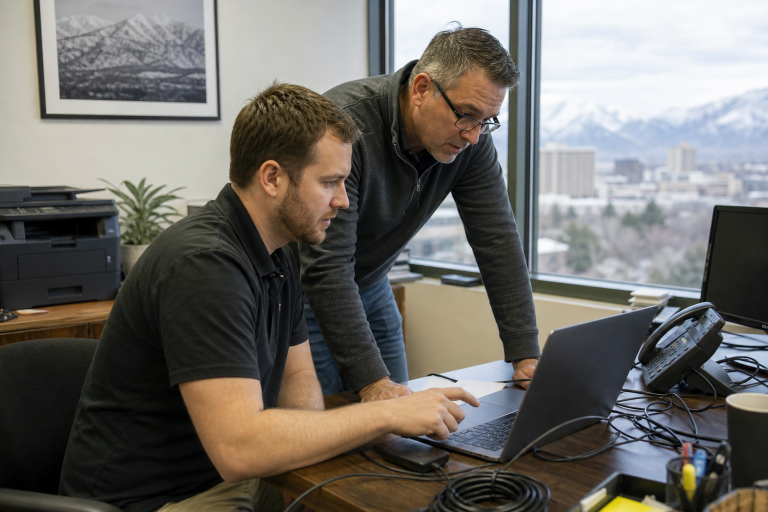
From downtown professional offices and retail shops to construction teams along the Wasatch Front, Salt Lake City businesses depend on technology to serve customers, process payments, communicate, and keep work moving. A practical readiness plan helps owners avoid treating every IT problem as an emergency. Businesses that need guidance with planning, systems, or day-to-day technology decisions may benefit from IT consulting Salt Lake City support tailored to local operational needs. IT readiness does not mean buying every new tool or building a complicated enterprise program. It means knowing what matters most, protecting it with sensible controls, and preparing staff to respond calmly when a device fails, an account is compromised, or a service becomes unavailable.
Why IT Readiness Matters in Salt Lake City
A technology interruption can quickly affect scheduling, payroll, sales, customer communication, and access to records. For a local service company, a lost laptop may delay field crews. For a medical, legal, financial, or retail business, an unavailable account or payment system can create immediate customer frustration. Winter storms, building issues, road conditions, and remote-work needs can also make reliable cloud access and communication especially important. Readiness shifts the focus from reacting after a problem occurs to reducing the impact before it does. The goal is not perfection. It is restoring essential work quickly and protecting the trust customers place in the business.
Build a Simple Technology Inventory
Start by listing every asset the business relies on. Include desktops, laptops, phones, tablets, printers, routers, cloud applications, subscriptions, shared mailboxes, customer databases, payment tools, and remote-access systems. Record who uses each item, who administers it, when licenses renew, and whether it contains sensitive or business-critical data.
A Simple Inventory Process
- List every device, application, account, and connection used for work.
- Identify the person responsible for each system.
- Mark systems that support revenue, customer records, payroll, or essential operations.
- Note replacement dates, warranties, subscriptions, and renewal deadlines.
- Review the list every quarter and after staff, office, or software changes.
Protect Accounts, Devices, and Data
Start with the controls that make unauthorized access harder. Require multi-factor authentication for email, financial systems, cloud storage, and administrator accounts. Use unique passwords stored in an approved password manager, limit administrator privileges to people who truly need them, and enable automatic updates for operating systems, browsers, security tools, and applications. Encryption, screen locks, device tracking, and prompt reporting of lost equipment are also valuable for Salt Lake City employees who work from home, travel between client sites, or use mobile devices away from the office. The FTC’s small business cybersecurity guidance offers practical advice on passwords, updates, backups, network protection, and incident planning.
Review Networks, Wi-Fi, and Remote Access
A fast connection is helpful, but a business network must also be secure and manageable. Change the default router credentials, keep the firmware updated, use the current wireless encryption, and separate the guest Wi-Fi from the primary business network. Remove old employee accounts and unknown devices promptly. Ask practical questions: What happens if the primary internet connection fails? Can remote employees access only the files and systems needed for their roles? Who receives alerts when the network goes down? Document who can change network settings so that troubleshooting does not depend on a single unavailable person.
Create a Backup and Recovery Routine
A backup is not a recovery plan until it has been tested. Decide which data and systems must be backed up, how frequently backups run, where copies are stored, who can delete them, and how quickly each system must return to service. Keep recovery priorities simple: customer-facing systems, financial tools, essential files, and communication platforms usually come first.
Test Backups Regularly
- Select one important file, folder, or system.
- Restore it to a safe test location.
- Confirm that the information opens and works correctly.
- Record the time required to complete the restoration.
- Correct gaps before the next scheduled test.
Prepare for Outages and Security Incidents
Create a short response plan for lost devices, phishing messages, ransomware, accidental deletion, power failures, and internet outages. Include the first contact employees should call, steps for disconnecting a suspected-infected device, alternative ways to communicate if email is unavailable, and a list of key vendors, insurers, and emergency contacts. Test the response plan at least once a year so employees know where to find it and what to do first.
Give Employees Clear Technology Rules
Employees should not need technical expertise to follow good practices. Establish short rules: never reuse business passwords, report suspicious messages before clicking, avoid unapproved software, lock screens when stepping away, use approved file-sharing tools, and report lost devices immediately. Hold a brief quarterly refresher using realistic examples from daily work.
Check Vendors and Outside Technology Partners
Before giving a vendor access to systems or information, ask what data they can access, whether multi-factor authentication is required, how incidents are reported, and what happens to data when the agreement ends. Access should be limited by role, time, and business need whenever possible.
Measure Progress With Simple IT Metrics
A small business does not need a lengthy technical report. Track a few useful measures: the percentage of key accounts protected by multi-factor authentication, devices missing updates, backup success rates, inactive accounts still enabled, restoration time from a backup test, and employee training participation.
Use a Quarterly IT Review
- Update the technology inventory.
- Remove unused accounts, software, and devices.
- Review administrator and remote-access permissions.
- Check update, security, and backup reports.
- Test one restoration from backup.
- Confirm network settings and vendor contact information.
- Refresh employee security training.
- Assign an owner and due date to the three most important risks.
Final Thoughts
Small, consistent actions can make technology safer and more reliable for Salt Lake City businesses. A current inventory, protected accounts, secure networks, tested backups, clear employee expectations, and a response plan can reduce disruption without overwhelming the budget. Regular software updates, routine security reviews, employee cybersecurity training, and periodic testing of recovery procedures also strengthen day-to-day resilience. Even small improvements, when applied consistently, can reduce the risk of costly downtime, data loss, and operational interruptions. As technology, business operations, and cyber threats continue to evolve, regularly reviewing and updating your IT practices helps ensure your systems remain prepared for changing conditions. The strongest readiness plan is the one the business can realistically maintain, review, and improve throughout the year.










 Business Programs

Leave a Reply
Want to join the discussion?Feel free to contribute!