In the world of digital marketing, terminology can often feel like a barrier to entry. Jargon is frequently used to overcomplicate simple concepts, but understanding the language of search is the first step toward dominating the rankings.
This guide strips away the complexity, providing clear, actionable definitions for the most critical SEO terms used today.
Technical Infrastructure
Technical SEO is the engine under the hood. If the technical foundation isn’t solid, your content—no matter how good—will struggle to be seen.
200 Status Code: The ideal response. It indicates that a page has loaded correctly and is fully accessible to both users and search engine crawlers.
301 Redirect: A permanent redirect from one URL to another. This is essential for maintaining “link equity” when moving content or changing site structure.
404 Error: A “Not Found” message. While a few are natural, an abundance of 404s can signal a neglected site and negatively impact the user experience.
Canonical Tag (rel=canonical): A snippet of code that tells search engines which version of a URL is the “master” copy, preventing issues caused by duplicate content.
Crawl Budget: The limited number of pages a search engine bot will crawl on your site during a specific timeframe. Efficient site architecture ensures bots focus on your most valuable pages.
Schema Markup: A form of microdata added to your HTML that helps search engines understand the context of your content, often resulting in “rich snippets” (like star ratings or price info) in search results.
Content & On-Page Strategy
Visibility isn’t just about technical perfection; it’s about creating value. On-page SEO ensures your expertise is translated into a language search engines can rank.
Alt Text:Brief descriptions assigned to images. These are vital for web accessibility and provide search engines with context regarding the visual elements of your page.
Anchor Text:The visible, clickable text in a hyperlink. Using descriptive, relevant anchor text helps search engines understand the destination page’s topic.
E-E-A-T: Standing for Experience, Expertise, Authoritativeness, and Trustworthiness, this is the framework used by search evaluators to determine the quality and credibility of your content.
Keyword Density: The frequency with which a specific keyword appears on a page. Modern SEO prioritises natural language over specific percentages to avoid “keyword stuffing.”
Core Web Vitals: A set of specific factors—Largest Contentful Paint (LCP), Interaction to Next Paint (INP), and Cumulative Layout Shift (CLS)—that Google uses to measure the speed and visual stability of a user’s experience.
Salience: A measure of how closely a word or phrase relates to the primary topic of a page. High salience indicates that your content is tightly focused and highly relevant.
The Future of Search
The landscape is shifting from traditional keyword matching to intent-based results and AI-driven answers.
AEO (Answer Engine Optimisation):The practice of optimising content specifically to appear as a direct answer in “featured snippets” or voice search results.
GEO (Generative Engine Optimisation): A new frontier focused on making your content visible and “citable” for AI models like ChatGPT and Google’s AI Overviews.
Search Intent: The underlying goal of a user’s search query. Content must be tailored to whether a user wants to learn (informational), find a specific site (navigational), or make a purchase (transactional).
Conclusion
SEO is not a one-time task but a continuous process of refinement. By mastering these terms, you move from being a passive observer to an active participant in your site’s growth. The goal is simple: eliminate technical friction, provide genuine value to your audience, and stay ahead of the evolving digital landscape. Your local SEO agency will have all of these meanings preloaded and ready to turn into a strategy.
https://www.strategydriven.com/wp-content/uploads/IMG_1945.jpeg10011500StrategyDriven - Sponsored Contenthttps://www.strategydriven.com/wp-content/uploads/SDELogo5-300x70-300x70.pngStrategyDriven - Sponsored Content2026-05-19 13:56:142026-06-18 21:35:42The Definitive SEO Glossary: Every Term You Need to Know
Dropdown menus are a staple in mobile interface design, providing an efficient way to organize options and maintain a clean interface, especially on devices with limited screen space. Their effectiveness depends on thoughtful implementation that blends usability, accessibility, and simplicity. If you want visual inspiration, reviewing a mobile dropdown menu collection can help you see how top mobile apps approach this UI element.
When executed well, dropdowns streamline navigation and empower users to find what they need quickly without feeling overwhelmed by cluttered layouts. However, designing dropdown menus for mobile requires careful consideration of both user experience and technical constraints. Prioritizing the end user is essential for successful mobile UI design.
Importance of Dropdown Menus in Mobile Design
Dropdown menus are a critical tool in mobile design because of the limited display area. They help consolidate many choices into a single, accessible element, reducing the visual noise that can otherwise make mobile interfaces feel crowded. Designers frequently use dropdowns to organize navigation links, filters, and user settings within a tidy menu.
A well-designed dropdown lets users explore numerous options without feeling lost or encountering frustrating obstacles. Poorly designed dropdowns, on the other hand, can confuse users, leading to high bounce rates and reduced engagement.
Given the rapid growth in mobile device usage, prioritizing efficient navigation patterns, such as dropdown menus, is essential for anyone building modern mobile applications. For additional information on effective mobile navigation patterns, refer to this comprehensive Smashing Magazine article.
Dropdown menus also allow apps to scale effortlessly as new features or settings are added. As mobile products evolve, spaces for new options can be integrated into dropdowns without squeezing everything onto the main interface. This adaptability ensures the app remains future-ready, preventing the user experience from being compromised as complexity increases. Organizations aiming for long-term app maintenance and frequent updates find dropdown menus indispensable UI elements for keeping them organized and manageable.
Importantly, dropdown menus help deliver a sense of familiarity. Many users have come to expect certain filters, profile settings, or contextual actions to be hidden in dropdown menus in the apps they use daily. This consistency creates a more intuitive initial user experience and can reduce onboarding time for new customers.
Best Practices for Designing Mobile Dropdown Menus
To ensure dropdown menus enhance, rather than detract from, the user experience, apply these proven best practices:
1. Keep It Simple and Intuitive
Clarity is essential. Overpopulated dropdowns burden users and complicate navigation. Limit options to essentials and use clear, concise labels. Simplicity helps users understand their choices and improves their ability to select the desired option effortlessly.
Consider using subtle animations and visual cues, such as changing the arrow direction or highlighting the selected option, to make dropdown behavior clear without requiring extra instructions. Well-chosen icons next to text labels can further help users quickly recognize their choices. Group related options with dividers to better organize longer dropdowns.
2. Optimize for Touch Interaction
Mobile devices rely on touch, so dropdown menus must feature appropriately sized targets. Make menu options big enough to tap comfortably and allow adequate spacing between choices to reduce the likelihood of accidental taps. Incorporating principles from Fitts’s Law is helpful here.
It’s also important to provide visual feedback when an option is tapped. Subtle button states, such as “pressed” or “active,” reassure users that their touch registered, helping to prevent multiple taps. Optimizing for “fat finger” touches by making targets at least 48×48 dp, as recommended in Material Design guidelines, is a good standard.
3. Ensure Accessibility
Accessibility is not just a legal requirement; it makes your app more usable for everyone. Use strong color contrast for text and backgrounds, ensure proper labeling for screen readers, and provide alternative input options such as keyboard or voice control where feasible. Testing with accessibility tools helps ensure that dropdown menus accommodate all users.
Supporting accessibility also means ensuring your dropdown menus are operable with screen readers and include focus indicators for users navigating with keyboards or other devices. Adequate ARIA (Accessible Rich Internet Applications) roles and attributes make dropdowns more accessible and discoverable.
4. Test Across Devices
Mobile devices span a wide range of screen sizes, aspect ratios, and operating systems. Always test dropdown menus on multiple devices to confirm they retain both usability and aesthetics. Real-world testing can reveal issues with scrolling, visual overflow, or touch responsiveness that may not be obvious in emulation alone.
Try simulating different network speeds and device orientations while testing dropdowns, as performance hiccups or landscape/portrait changes can sometimes disrupt how menus display. Gathering feedback from actual users through usability testing highlights pain points and opportunities for refinement.
Alternatives to Dropdown Menus
While dropdown menus are versatile, there are situations where other UI elements can provide a better experience, particularly when there are only a few options or the task requires repeated selections. Consider these alternatives:
1. Radio Buttons or Checkboxes
When asking users to pick one out of a small set of mutually exclusive options, radio buttons are more efficient. Checkboxes are preferable for multiple selections. They display all options upfront, eliminating the extra tap and easing the user’s cognitive load.
This approach can especially benefit accessibility and speed, as users see all available choices at once. Use radio buttons or checkboxes when the list is short, ensuring the interface isn’t cluttered while keeping choices obvious.
2. Segmented Controls
Segmented controls present a set of choices (such as tabs or categories) side by side. This format is efficient for quick toggling between views or filtering data, especially when the number of segments is limited to three to five.
Segmented controls are very popular for filtering content, such as showing “All,” “Favorites,” or “Archived”, within a single view. They’re quicker than dropdowns because users can switch between states with a single tap, making them ideal for tasks that require agility and frequent changes.
3. Progressive Disclosure
Progressive disclosure involves showing users only the most important options initially and revealing secondary choices as needed. This reduces decision fatigue and helps guide users through a task step by step, rather than confronting them with all options at once.
This technique is effective for forms or complex settings where exposing users to all features at once can be overwhelming. Show what’s necessary at each interaction, revealing advanced or less-used features only when required, for a more digestible user experience.
Conclusion
Dropdown menus are indispensable in mobile design, but their value depends on careful attention to simplicity, accessibility, and touch-friendliness. By following established best practices and staying aware of better-suited alternatives when appropriate, designers can create fluid, intuitive mobile interfaces that empower users to accomplish tasks swiftly and comfortably.
Ultimately, the key to successful dropdown menu implementation on mobile is empathy for the user’s needs and preferences. Modern app users expect not just functional dropdowns but also visually appealing, consistently responsive ones. The best designs continually evolve: by gathering regular feedback, monitoring analytics, and staying updated on industry trends, you can ensure your dropdown menus remain an asset to your interface, rather than a hindrance. Investing effort in your dropdown design process not only improves usability but also supports broader business goals by reducing friction and increasing overall user satisfaction.
https://www.strategydriven.com/wp-content/uploads/IMG_1900.png512768StrategyDriven - Sponsored Contenthttps://www.strategydriven.com/wp-content/uploads/SDELogo5-300x70-300x70.pngStrategyDriven - Sponsored Content2026-05-14 08:23:162026-05-14 08:23:16Best Practices for Designing Dropdown Menus for Mobile Interfaces
In the competitive pest control industry, attracting qualified leads is essential for business growth. Implementing effective Search Engine Optimization (SEO) strategies can significantly enhance online visibility, leading to increased customer inquiries and service bookings. Partnering with a specialized pest control SEO company like Cube Creative Design can provide tailored strategies to boost your online presence. Cube Creative Design has been assisting small to medium-sized pest control operators since 2005, offering expertise in optimizing websites to attract qualified leads. Their services span multiple regions, ensuring localized strategies that resonate with target audiences.
Optimizing Your Google Business Profile
A well-maintained Google Business Profile (GBP) is crucial for local SEO success. Ensure your GBP includes accurate Name, Address, and Phone number (NAP) information, detailed service categories, and high-quality images. Engaging with customer reviews by providing timely responses can also boost your profile’s credibility. According to BrightLocal, 87% of consumers read online reviews for local services, highlighting the importance of an optimized GBP.
Another important feature of your Google Business Profile is the use of service area settings. By clearly defining the geographic locations your business serves, you can improve visibility in relevant local searches and attract nearby customers more effectively. This is especially important for improving pest control lead conversion rate, as reaching the right local audience increases the likelihood that searches turn into booked services. It’s also essential to keep your profile updated by maintaining accurate business hours, posting regular updates such as promotions or pest prevention tips, and uploading photos of your team and service vehicles in action. These ongoing updates provide fresh content signals to Google, showing that your business is active and engaged, which can help strengthen local search performance over time.
Creating City-Level Service Pages
Developing dedicated service pages for each city or region you serve can improve local search rankings. These pages should feature localized content addressing specific pest issues prevalent in those areas. For example, a page titled “Termite Control Services in [City]” can attract residents searching for termite solutions in their locality.
Each city or region where you provide pest control services presents unique challenges, such as seasonal pest pressures, climate conditions, or population density. When creating city-level service pages, go beyond simply duplicating your general service content; instead, demonstrate an understanding of local issues by referencing common pests in those areas, recent news stories about infestations, or city-wide pest prevention campaigns. Additionally, incorporate region-specific testimonials or case studies that provide relatable evidence of your expertise. By optimizing these pages for local keywords and including internal links to your other service offerings, you build a strong network of location-based content that supports your site’s broader SEO goals.
Encouraging Customer Reviews
Positive customer reviews enhance trust and influence potential clients. Implement strategies to encourage satisfied customers to leave reviews on platforms like Google and Yelp. Responding to both positive and negative reviews demonstrates your commitment to customer satisfaction and can improve your online reputation.
To effectively solicit reviews, consider following up after a service appointment with a personalized email or text message thanking the customer for their business and providing a direct link to your preferred review platform. You can also distribute printed postcards or business cards with review instructions as part of your on-premises service package. Be transparent about how reviews help your business thrive, and be prompt and professional when addressing feedback. Over time, a robust review portfolio not only increases your appeal to prospective clients but can also positively influence your rankings in search engine results, especially in Google’s local pack.
Ensuring Technical Site Health
A technically sound website is vital for SEO performance. Regularly audit your site to identify and fix issues such as broken links, slow loading times, and mobile responsiveness. Tools like Google’s PageSpeed Insights can help assess and improve your site’s performance.
Additionally, pay close attention to on-page factors such as structured data (schema markup), which helps search engines better understand and display your content. Implementing local business and review schema can lead to enhanced search results, such as rich snippets, which increase your visibility and click-through rates. Ensure your website is protected with HTTPS, and routinely check your XML sitemap and robots.txt file for accuracy. A well-structured, secure site is more likely to be indexed properly and to stay competitive in search rankings, especially as Google’s algorithms increasingly favor user experience.
Leveraging Industry Associations and Certifications
Participating in industry associations, such as the National Pest Management Association (NPMA), and obtaining certifications, such as QualityPro, can enhance your company’s credibility. Displaying these affiliations on your website can serve as trust signals to potential customers.
Membership in reputable organizations signifies a high standard of service and commitment to industry best practices. Consider prominently featuring certification logos on your website’s homepage, “About” page, or footer to ensure maximum visibility. You can also write blog posts or case studies that highlight the significance of certifications and the specialized training your technicians have completed. Publicizing active membership or regular participation in industry events, community outreach, or educational initiatives further distinguishes your company as an industry leader dedicated to continuous improvement and ethical service delivery.
Partnering With Specialized SEO Agencies
Collaborating with an SEO agency that specializes in the pest control industry can provide tailored strategies to boost your online presence. For instance, Cube Creative Design, a pest control SEO company that has worked exclusively with pest operators since 2005, offers expertise in optimizing websites to attract qualified leads.
Specialized agencies bring not just technical know-how, but also a deep understanding of unique market challenges and search patterns in the pest control sector. Their experience enables them to identify seasonally relevant keywords, optimize for voice search queries (e.g., “Who’s the best pest control company near me?”), and develop content that speaks directly to property managers, homeowners, or commercial clients. They may offer consulting on Google Ads and paid search campaigns to augment organic strategies, or monitor local search competitors to keep your business ahead. Furthermore, partnerships with niche agencies can lead to ongoing education on new tools, analytics, and marketing tactics, ensuring your strategy evolves alongside changing search engine algorithms and consumer behavior.
Conclusion
Implementing fundamental SEO strategies, including optimizing your Google Business Profile, creating localized service pages, encouraging customer reviews, maintaining technical site health, leveraging industry associations, and partnering with specialized SEO agencies, can significantly increase qualified lead volume for pest control operators. By focusing on these areas, businesses can enhance their online visibility and attract more customers.
The pest control market is constantly evolving, with new competitors, technologies, and consumer preferences shaping the digital landscape. Investing in robust SEO fundamentals not only helps drive steady streams of qualified leads but also insulates your company against shifts in search engine algorithms or changes to advertising platforms. As a result, pest control operators who actively invest in ongoing SEO improvements, maintain strong relationships with specialized partners, and keep a laser focus on local market trends are best positioned to dominate their service areas and achieve sustainable long-term growth.
https://www.strategydriven.com/wp-content/uploads/IMG_1746.jpeg9091359StrategyDriven - Sponsored Contenthttps://www.strategydriven.com/wp-content/uploads/SDELogo5-300x70-300x70.pngStrategyDriven - Sponsored Content2026-05-06 13:56:542026-05-06 13:56:54How SEO Fundamentals Drive Qualified Leads for Pest Control Operators
In today’s highly competitive digital landscape, local businesses are leveraging data-driven Pay-Per-Click (PPC) campaigns to fuel growth and maintain a strong market presence. Utilizing detailed analytics enables businesses to identify their ideal audiences more precisely, maximizing return on investment while reducing wasted ad spend. Integrating specialized solutions such as white label PPC management can amplify these results, allowing local brands to maintain expert-level campaign execution without the need for an in-house team.
Data-driven strategies are now a key advantage for local businesses aiming to improve digital advertising results. By tracking real-time performance, companies can refine campaigns more effectively than traditional methods, leading to more relevant ads, better leads, and stronger engagement.
Advancements in PPC analytics also provide deeper insights into consumer behavior, allowing precise bid adjustments and tailored messaging for specific audiences. This eliminates guesswork and enables smarter, data-backed decisions.
Businesses that fail to adopt this approach risk falling behind competitors, while those that embrace it can compete more effectively even against larger brands.
Understanding Data-Driven PPC
Data-driven PPC prioritizes analytics and measurable results to shape and optimize advertising strategies. It involves careful tracking of metrics such as click-through rates, cost-per-click, conversion rates, and user demographics. These insights allow businesses to continuously refine campaign settings, allocate budget intelligently, and focus on what’s working best.
Benefits for Local Businesses
When executed correctly, data-driven PPC campaigns offer transformative benefits for local businesses:
Enhanced Targeting: In-depth data reveals who is most likely to engage with specific ads, enabling businesses to create messaging that closely matches their best customer profiles.
Cost Efficiency: By focusing spending on campaigns with strong performance metrics, local companies get more for every dollar invested.
Improved Conversion Rates: Ads tailored to specific audience segments drive more prospects to take action, whether that is booking an appointment or making a purchase.
Case Studies of Successful Campaigns
Real-world examples illustrate how data-powered PPC can transform local businesses. One San Diego tech startup introduced advanced geo-targeting and rigorous A/B testing, achieving a 45 percent increase in conversion rates alongside a 30 percent decrease in cost-per-click in only six weeks.
A UK-based franchise network accelerated lead generation and new franchise growth by rolling out inventive geofencing strategies and highly personalized ad messaging. The results were measurable lifts in both inquiries and overall growth, validating the power of data-driven campaign adjustment.
Implementing a Data-Driven PPC Strategy
Building a successful data-driven PPC campaign involves a clear strategic framework:
Conduct a Comprehensive Audit: Begin by evaluating your current PPC campaigns. Identify which keywords, ads, and targeting settings are delivering results and uncover any weaknesses.
Set Clear Objectives: Develop concrete goals, for example, increasing website traffic, improving form completion rates, or boosting online sales.
Utilize Advanced Analytics Tools:Tools like Google Analytics, Google Ads reporting, and third-party platforms provide actionable insights into campaign performance.
Optimize Ad Copy and Creatives:Let the data guide adjustments to headlines, calls to action, imagery, and targeting.
Test and Refine:Ongoing A/B testing uncovers new optimization opportunities and helps ensure each change has a positive impact.
These steps help local businesses move beyond guesswork and build campaigns grounded in measurable outcomes.
Challenges and Considerations
Despite its advantages, a data-driven PPC approach is not without issues. Common challenges faced by local businesses include:
Data Overload:The sheer volume of available data can be daunting. Proper training and reliable reporting tools are necessary to extract valuable insights without being overwhelmed.
Budget Constraints: Smaller businesses may need to focus on the highest-impact tactics and carefully allocate resources based on performance data.
Keeping Up with Trends:PPC platforms and consumer expectations are constantly evolving, requiring advertisers to stay up to date on the latest features and best practices.
Future Trends in Data-Driven PPC
Looking ahead, data-driven PPC campaigns are set to become even more powerful. Key trends include:
Artificial Intelligence Integration: AI is already streamlining ad optimization and targeting, providing tools for campaign automation and intelligent budget allocation.
Enhanced Personalization: Sophisticated analytics are paving the way for hyper-personalized user experiences that drive stronger engagement rates.
Cross-Platform Strategies: Seamless execution across search engines, social media, and display advertising is increasingly vital for capturing potential customers wherever they are online.
Conclusion
Data-driven PPC campaigns represent a significant evolution in local business advertising. By making data the foundation of all PPC decisions, local companies can target their ideal customers, maximize their ad budgets, and achieve exceptional campaign results. As digital marketing continues to evolve, those who invest in performance analytics and continuous optimization will maintain the advantage in both growth and customer engagement.
https://www.strategydriven.com/wp-content/uploads/IMG_1675.jpeg9651500StrategyDriven - Sponsored Contenthttps://www.strategydriven.com/wp-content/uploads/SDELogo5-300x70-300x70.pngStrategyDriven - Sponsored Content2026-05-04 21:27:442026-05-04 21:27:44Driving Local Business Growth Through Data-Driven PPC Campaigns
Across the United States, more than 61 million adults live with some form of disability — and yet, a staggering number of websites remain effectively off-limits to them. In 2026, that is no longer a design oversight. It is a legal and ethical liability. With the Department of Justice reinforcing ADA digital compliance requirements and plaintiffs filing thousands of web accessibility lawsuits annually, businesses in retail, healthcare, financial services, education, and hospitality face mounting pressure to make their digital experiences truly inclusive.
Enter artificial intelligence. AI is rapidly changing how organizations approach digital accessibility — from automated WCAG compliance monitoring to intelligent alt-text generation and real-time issue detection. But while AI unlocks powerful new capabilities, it is not a silver bullet. Understanding where AI helps and where human expertise remains essential is the key to building websites that work for everyone.
How AI Is Transforming Web Accessibility Testing and Remediation
1. Automated WCAG Monitoring at Scale
One of AI’s most impactful contributions to digital accessibility is continuous, automated WCAG monitoring. Traditional web audits are point-in-time snapshots — they identify issues as of the day the audit is conducted, but websites change constantly. New pages go live, third-party scripts update, and content teams add images without alt text.
AI-powered monitoring tools can scan entire websites continuously, flagging WCAG violations the moment they appear. This shifts accessibility from a reactive, audit-driven process to a proactive, always-on compliance posture — critical for high-traffic platforms where a single inaccessible checkout flow can trigger an ADA complaint.
2. AI-Powered Alt Text and Image Descriptions
Missing or inadequate image alt text is one of the most common accessibility failures. For large e-commerce sites with thousands of product images, manually writing descriptive alt text has historically been time-prohibitive. AI image recognition models can now generate contextually accurate alt text at scale — dramatically reducing the remediation burden while improving the experience for screen reader users.
3. Mobile Accessibility Testing
Mobile accessibility testing presents unique challenges — touch target sizes, gesture-based navigation, and screen reader compatibility on iOS and Android all require careful evaluation. AI-assisted mobile accessibility testing tools can simulate how assistive technologies interact with native apps and mobile web experiences, surfacing issues that automated desktop-only scanners routinely miss.
4. Accessibility Scorecard and Issue Prioritization
Not all accessibility failures carry the same risk. An AI-driven accessibility scorecard can rank issues by severity, legal exposure, and user impact — helping development teams triage remediation efforts intelligently. Instead of a flat list of hundreds of WCAG violations, organizations receive a strategic roadmap: fix these critical items first, then address this queue of moderate risk issues.
Where AI Falls Short: The Case for Human-Led Accessibility User Testing
For all its capabilities, AI-based accessibility testing has a well-documented blind spot: it cannot fully replicate the experience of a person with a disability using assistive technology to navigate a website. Automated tools typically detect between 30–40% of all WCAG issues. The rest require human judgment.
Real-world accessibility user testing — conducted with participants who use screen readers, switch access devices, voice control software, or magnification tools — surfaces usability failures that no algorithm can catch. A button might be technically labeled, but if the label is confusing to a screen reader user in context, the page fails functionally even if it passes automated checks.
This is why the most effective accessibility programs in 2026 combine the scale of AI-powered scanning with the insight of expert-led audits and real-user validation. AI finds the volume. Humans find the truth.
Retailers:ADA lawsuits target checkout flows and product pages disproportionately. Accessible e-commerce is non-negotiable.
Healthcare:Patient portals, telehealth platforms, and appointment systems must comply with both ADA and Section 508 standards.
Financial Services: Banking websites and apps face the highest volume of digital accessibility litigation. Secure, accessible dashboards are now a baseline expectation.
Education: Section 508 mandates WCAG compliance for institutions receiving federal funding. The digital accessibility gap in education continues to widen.
Hospitality: Booking flows are a primary litigation target. Hotels and travel platforms must ensure reservation systems are fully navigable by all users.
Public Sector: Federal mandates require a minimum of WCAG 2.1 AA. Government sites must serve every citizen equally — no exceptions.
What to Look for in an Accessibility Partner in 2026
As AI-driven accessibility tools proliferate, the market has become crowded with automated overlays and one-click “fix” plugins that promise WCAG compliance without delivering it. These tools have repeatedly failed legal scrutiny. Courts have found that accessibility overlays do not substitute for genuine remediation.
A credible accessibility partner in 2026 should offer:
Expert-led accessibility website audits (not just automated scans)
WCAG monitoring with real-time issue alerts
Mobile accessibility testing across iOS and Android
Accessibility training for in-house development and content teams
An accessibility scorecard to track progress and prioritize remediation
Post-fix validation to confirm issues are genuinely resolved
Conclusion: AI Enables Accessibility. People Make It Real.
AI has fundamentally changed the economics and scale of web accessibility. What once required hundreds of hours of manual review can now be surfaced in minutes. Continuous WCAG monitoring means compliance gaps don’t hide for months before an audit catches them. Intelligent prioritization means development teams spend their time on the issues that matter most.
But technology alone will never make a website truly accessible. Disability rights are a human issue. Building an inclusive web experience requires the combination of AI-powered tools and the empathy, expertise, and lived experience of accessibility specialists and real users.
For U.S. businesses navigating ADA compliance, WCAG standards, and the growing threat of litigation, 2026 is the year to stop treating accessibility as an afterthought — and start treating it as a foundation. The tools exist. The expertise is available. The only thing missing is the decision to act.
https://www.strategydriven.com/wp-content/uploads/IMG_1656.jpeg9421500StrategyDriven - Sponsored Contenthttps://www.strategydriven.com/wp-content/uploads/SDELogo5-300x70-300x70.pngStrategyDriven - Sponsored Content2026-04-23 22:08:192026-04-23 22:08:19The Role of AI in Improving Website Accessibility in 2026
 A VETERAN OWNED SMALL BUSINESS |

 Dropdown menus are a staple in mobile interface design, providing an efficient way to organize options and maintain a clean interface, especially on devices with limited screen space. Their effectiveness depends on thoughtful implementation that blends usability, accessibility, and simplicity. If you want visual inspiration, reviewing a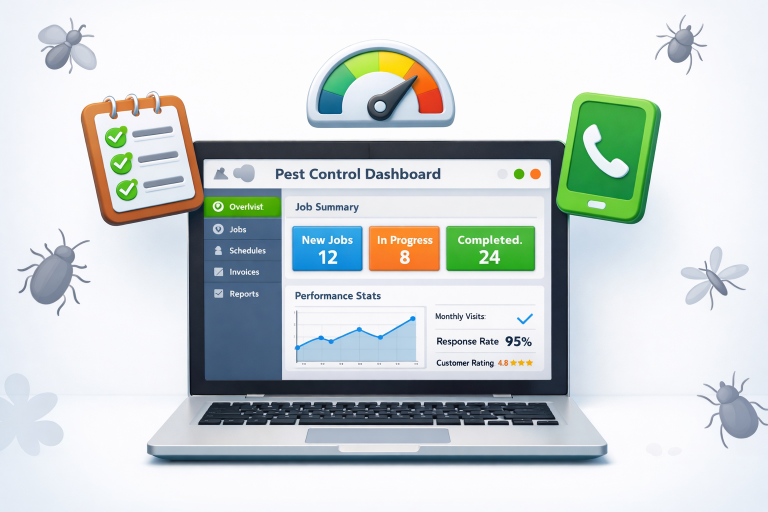


 Business Programs