 A VETERAN OWNED SMALL BUSINESS |
Best Practices for Designing Intuitive Web Login Screens
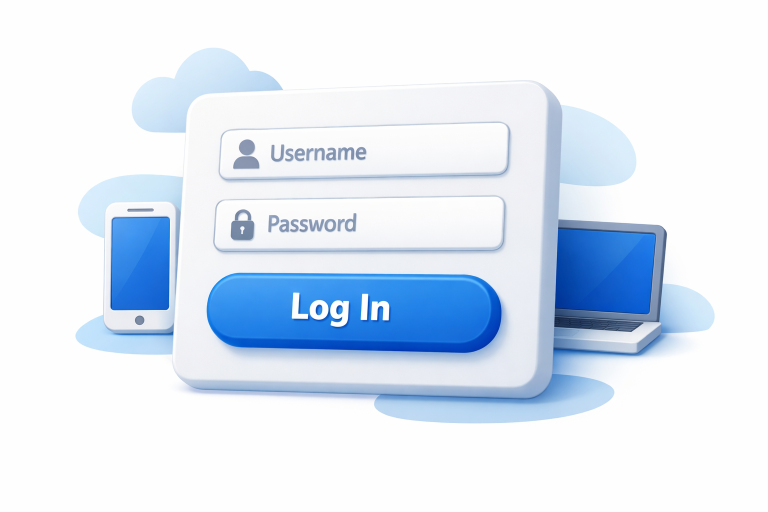
Creating a web login screen that feels effortless while remaining secure is a challenge every web designer faces. Users encounter innumerable login pages every day, so clarity, speed, and intuition are essential. When users land on your login page, their experience begins not with your content, but with access. That is why paying close attention to every detail of your login page design lays the foundation for trust and consistent engagement. A seamless, thoughtful login process can make a welcome first impression, inviting users in and encouraging continued interaction with your platform. Prioritizing intuitive experiences not only saves your users time but also establishes your site as reliable and professional. As the web landscape evolves and security concerns grow, finding a balance between robust protection and user-friendly design has become more important than ever. A login screen must instantly communicate its purpose, reduce barriers, handle errors gracefully, and still reflect the website’s overall brand identity and tone.
Success hinges on continually testing and refining your login interface to keep up with evolving user needs and expectations. Small improvements, from optimized button placements to clearer error alerts, can significantly enhance the overall login flow. Designers also need to remember that users bring a range of devices, contexts, and accessibility needs to the process, making adaptability key for broad satisfaction and security. By learning from case studies and design systems featured on respected industry resources.
Prioritize Simplicity and Clarity
A well-designed login page strips the interface down to its essentials. Limit visible elements to what is strictly necessary, usually only the username or email field, a password field, and a clearly labeled login button. Extraneous options or graphics can make the page look cluttered and confuse the user’s attention. Prioritize clear labeling for all fields, and use placeholder text only for secondary hints, not as a substitute for field labels.
Maintain Consistency Across the Interface
Consistency breeds familiarity. By aligning login screens with the broader design language of your application or website, including color schemes, button styles, and iconography, you help users feel oriented and comfortable. Consistent visual cues also make your brand appear trustworthy and intentional. If elements like “Forgot Password” links or account creation buttons exist elsewhere, keep their styling and placement uniform throughout to reduce confusion.
Implement Responsive Design
Users access login pages from desktops, tablets, smartphones, and even smart TVs or kiosks. Responsive design ensures that your login interface is just as easy to use on a mobile device as on a large desktop monitor. Make touch targets large enough for fingers, use readable font sizes, and avoid reliance on hover states. Testing the login page across various breakpoints is critical for pinpointing layout issues and ensuring usability across all breakpoints.
Provide Clear Feedback and Error Messages
No one enjoys mistyped credentials or confusing system-generated errors. Immediate feedback, such as highlighting incorrect fields or displaying a concise error message, like “Incorrect password. Please try again,” can prevent user frustration and help facilitate a quick resolution. Where appropriate, offer contextual help or password visibility toggles. Careful wording and placement of error messages reduce embarrassment and support learning.
Incorporate Security Measures Without Compromising Usability
A secure login screen uses modern security features while balancing them with user convenience. Two-factor authentication (2FA), CAPTCHA, and account lockout mechanisms are valuable, but they should be streamlined to avoid frustrating real users. For example, allow users to choose authentication methods or save trusted devices, and only escalate to advanced security checks if suspicious activity is detected. Always inform users about the purpose of extra security steps and provide clear instructions as needed.
Offer Multiple Login Methods
Users appreciate flexibility. Supporting alternative login methods, such as single sign-on with Google, Apple, or LinkedIn, or biometric authentication on supported devices, lets users choose the path that works best for them. Multiple options also improve accessibility, especially for those who prefer managing fewer passwords or who rely on assistive technologies.
Optimize for Speed and Performance
Login screens should load almost instantaneously, as users expect to access their accounts without delay. Optimize images and compress code to minimize load times. Avoid heavy graphics that slow the experience on slower networks or older devices. Every millisecond shaved off a login screen’s load time reduces bounce rates and keeps the experience fluid.
Conduct Regular User Testing
Even the best-designed interface needs iteration. Regular usability testing with real users reveals hidden friction points and opportunities for improvement. Surveys, user interviews, and analytics all inform which aspects are working well and which need refinement. Iterative improvement ensures that your login flow continues to meet modern standards for both usability and security. Prioritizing these best practices results in login screens that are welcoming, accessible, and secure. They keep users at ease and reinforce positive interactions from the very first click. As usability trends continue to evolve, returning to your login design for periodic evaluation ensures it remains a positive gateway to your platform.
Conclusion
A well-designed login experience is more than just a gateway, as it is a critical moment that shapes how users perceive your platform from the very start. By prioritizing simplicity, maintaining consistency, and ensuring accessibility across devices, designers can remove friction and help users accomplish their goals quickly. Clear feedback and thoughtful error handling further enhance usability, while carefully implemented security measures build trust without disrupting the experience. Ultimately, the most effective login interfaces strike a balance between security and ease of use. Through continuous testing and refinement, designers can create login flows that not only meet evolving user expectations but also foster confidence, reliability, and long-term engagement.





 Business Programs

Leave a Reply
Want to join the discussion?Feel free to contribute!